Introduction to the internet
Before we learn about web programming, it is important for us to understand the basics of how the internet works.
How the internet works?
The internet is a vast network connecting computers from all over the world.
IP Address
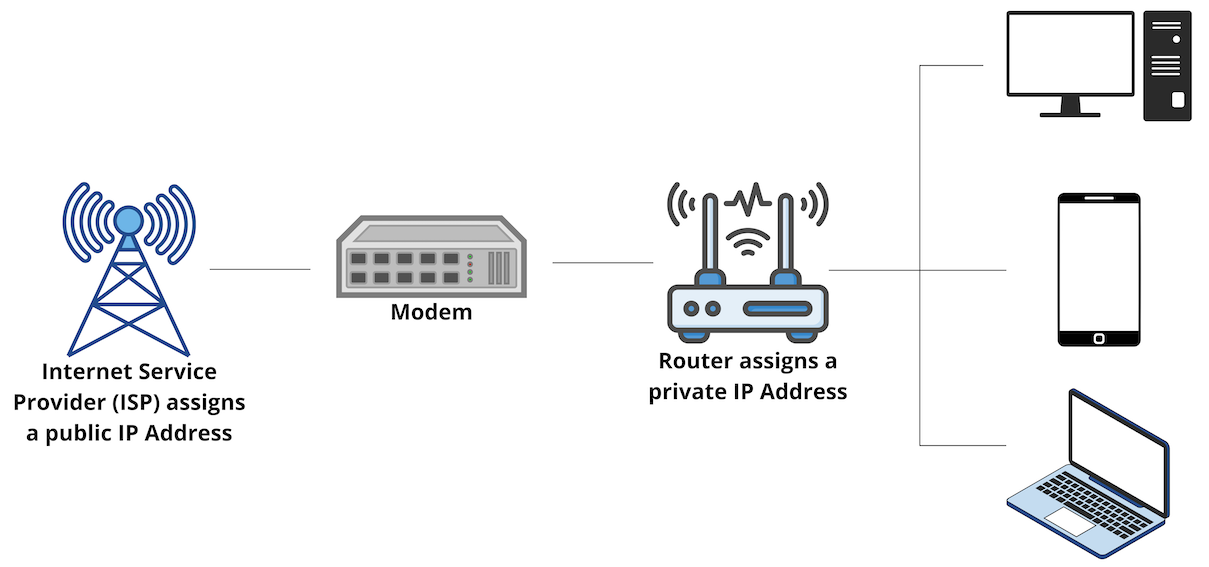
Each computer connected to the Internet has a unique address known as the IP adress. An IP address provides the location of the host in the network, which allows devices to establish a path to that host. In other words, it allows devices to connect to one another and transfer data via the internet or on a local network.
Domain Name System (DNS)
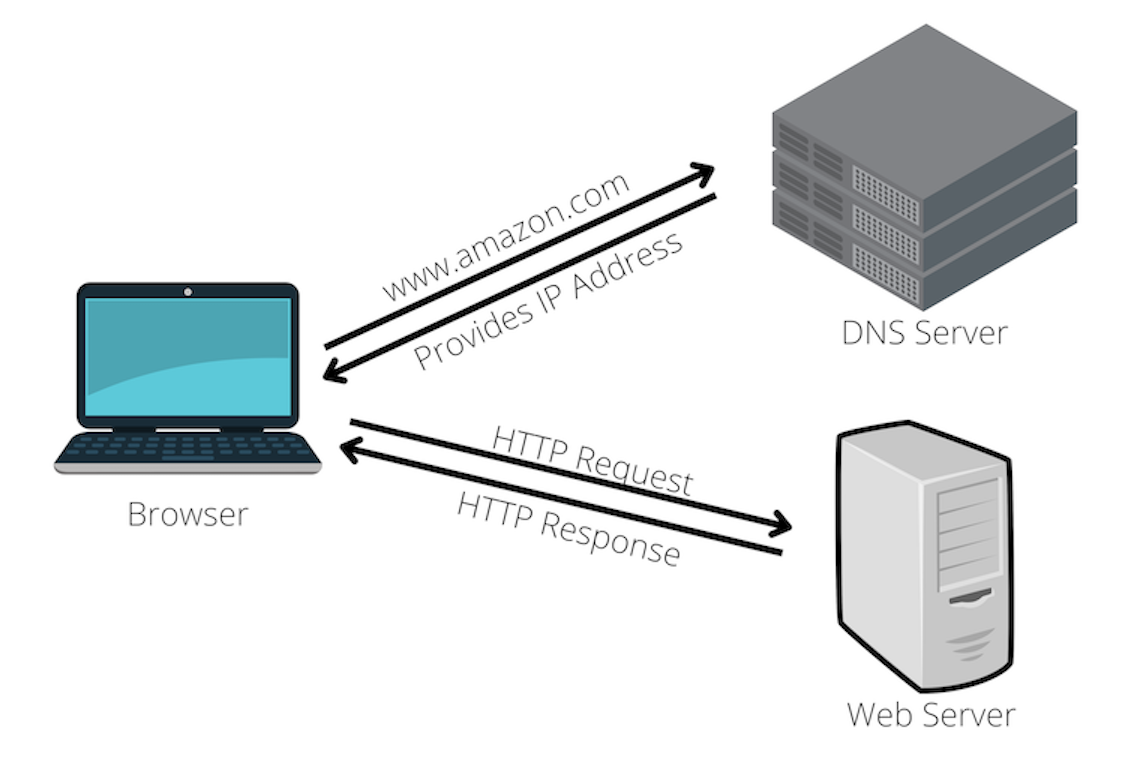
The Domain Name System(DNS) translates domain names to into IP addresses. It enables users to access websites without having to know its IP address.
Top-level domain (TLD)
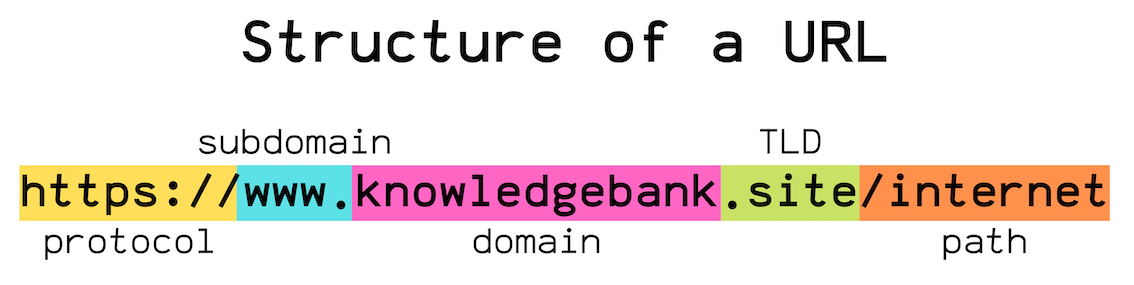
Top-level domains (TLD) refer to the last part of the domain, ie. the part after the dot. For example, in the URL “google.com”, the TLD is “.com”. The main types of TLDs are generic TLDs and country-specific TLDs. Some commonly seen TLDs are “.com”, “.org”, “.uk”, “.edu”, etc.
DNS resolution
Top-level domains(TLD) play a crucial role in DNS lookup. For example, when users enter a domain such as “youtube.com”, then the TLD servers for “.com” TLD are queried. The TLD servers then return the IP address of Youtube’s origin server to the DNS resolver. Now the computer has the IP address required to reach Youtube.
World Wide Web (WWW)
The World Wide Web(WWW), commonly known as the web, enables pages, websites or other web resources to be accessed over the Internet. The web operates within the Internet’s basic client-server model. Clients can be browsers, programs or devices and servers are typicaly computers in the cloud.
HTTP requests and responses
Communication between clients and servers is done by requests and responses. To put simply, the client sends a HTTP request and the server returns a HTTP response.
Hyhpertext Markup Language (HTML)
On a successful request, a hypertext document with its text and hyperlinks written in is Hypertext Markup Language (HTML) returned from the server to client.
Uniform Resource Locator (URL)
The hyperlinks are assigned a unique online address called a Uniform Resource Locator (URL). The URL allows us to access information and resources on the Internet.